Step 1. 安装依赖 xlsx
1 | yarn add xlsx |
Step 2. Import
1 | import * as XLSX from 'xlsx'; |
Step 3. Usage
xlsx支持多种格式导出,具体可以参考官方文档github
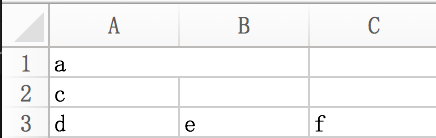
1 | class Export { |
1 | let exports = new Export(); |

( ´ ▽ ` )ノ`)
xlsx1 | yarn add xlsx |
1 | import * as XLSX from 'xlsx'; |
xlsx支持多种格式导出,具体可以参考官方文档github
1 | class Export { |
1 | let exports = new Export(); |
缺失模块。
1、请确保node版本大于6.2
2、在博客根目录(注意不是yilia根目录)执行以下命令:
npm i hexo-generator-json-content --save
3、在根目录_config.yml里添加配置:
  jsonContent:
    meta: false
    pages: false
    posts:
      title: true
      date: true
      path: true
      text: false
      raw: false
      content: false
      slug: false
      updated: false
      comments: false
      link: false
      permalink: false
      excerpt: false
      categories: false
      tags: true